How to unlock iPhone is something you rarely think about until the moment your device stops responding the way you expect.
You pick up your phone, try to access it, and suddenly you are locked out or facing a screen you do not fully understand.
So you start searching for a clear and reliable way to unlock it.
Let’s break down each situation so you can choose the right method with confidence.
1. Understanding Different Lock Types First
Passcode lock vs Face ID or Touch ID lock
A passcode lock is the primary security layer that protects your device.
Face ID or Touch ID simply provides faster access, but they still rely on the passcode as a backup.
If biometrics fail, the system returns to the passcode requirement.
Carrier lock vs iCloud activation lock
A carrier lock restricts your iPhone to a specific network provider. In contrast, an iCloud activation lock is tied to your Apple ID and prevents unauthorized use after a reset.
The difference lies in purpose. One controls network access, while the other protects ownership.
2. How to Unlock iPhone With Passcode or Biometrics
Unlock using the passcode normally
Step 1: Wake your iPhone properly
Press the side button or tap the screen to activate the lock screen. If the screen stays dim or unresponsive, press again to ensure it is fully active before entering the passcode.
Step 2: Swipe up to access passcode entry
On most models, you need to swipe up from the bottom edge to reveal the keypad. This step transitions from the lock screen to the input screen.
Step 3: Enter the passcode carefully
Type each digit with attention. Even a single wrong number counts as a failed attempt and increases lock time. This step is critical in how to unlock iPhone safely without triggering delays.
Step 4: Wait for system verification
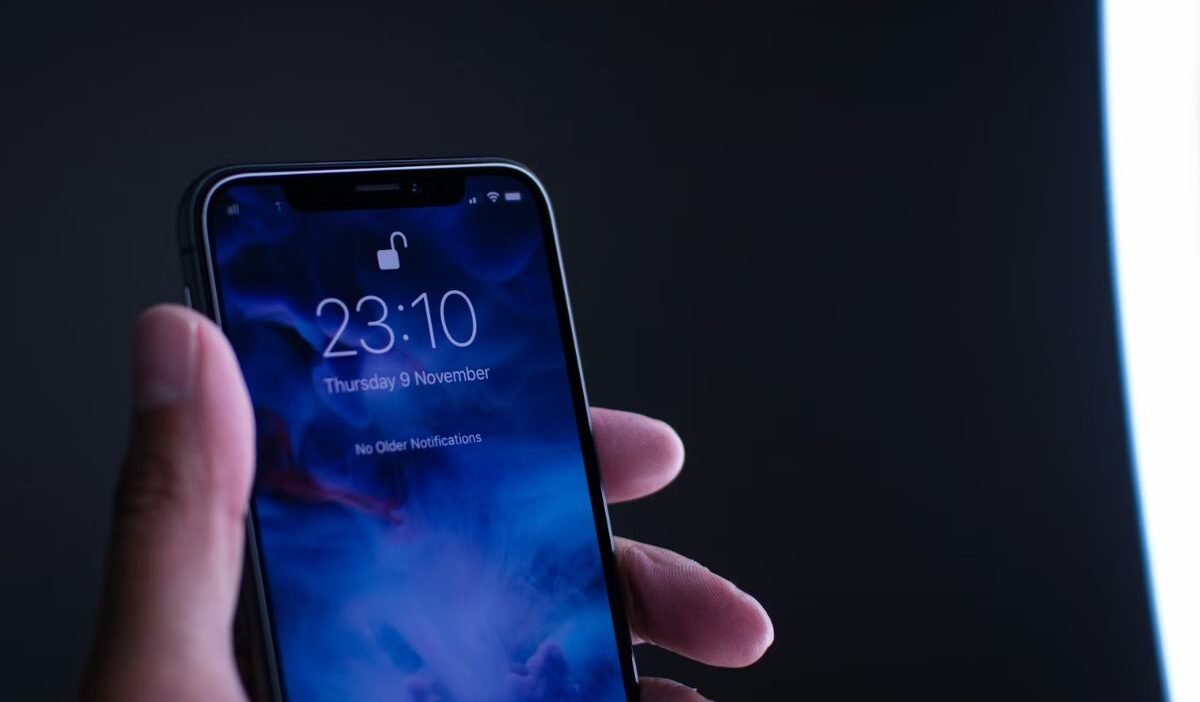
Once entered, the system checks the code instantly. If correct, the lock icon opens, and the device proceeds to the home screen.
Step 5: Handle incorrect attempts cautiously
If the code is wrong, pause and think before trying again. Repeated mistakes can lead to a temporary lock or full disablement.

Unlock using Face ID or Touch ID
Step 1: Position your device correctly
To unlock your iPhone with Face ID, hold your iPhone at eye level with a clear view of your face. For Touch ID, place your registered finger on the sensor naturally.
Step 2: Trigger a biometric scan automatically
Face ID activates when you look at the screen, while Touch ID works instantly when your finger touches the sensor. No extra steps are required.
Step 3: Confirm successful authentication
A visual change appears, such as the lock icon opening or a quick vibration. This indicates your identity has been verified.
Step 4: Access your device smoothly
Swipe up or proceed directly to the home screen, depending on your model. This completes the fastest version of how to unlock iPhone without passcode.
Step 5: Fall back to passcode when needed
If Face ID fails due to lighting or angle, or Touch ID does not recognize your fingerprint, the system will require your passcode for security.
3. How to Unlock iPhone Without Passcode
Restore using iTunes or Finder
Connect your iPhone to a computer and use Finder or iTunes to restore the device. This process removes the passcode by resetting the system.
Unlock using iCloud Find My iPhone
Sign in to iCloud and select the “Erase iPhone” feature. This remotely removes the passcode and resets your device.
Recovery mode as a direct method
Put your iPhone into recovery mode and restore it through a computer. This method is often used when the device is disabled or unresponsive.
Read more: How to Turn Off Lock Screen iPhone: Easy Methods Explained
4. How to Unlock iPhone From a Carrier (SIM Unlock)
Step 1: Check the carrier lock status first
Go to Settings -> General -> About and look for “Carrier Lock.” If it shows a restriction, your device is tied to a specific network.
Step 2: Contact your carrier directly
Reach out through official support channels and request an unlock. This is the only legitimate way for how to unlock iPhone from a carrier.
Step 3: Verify eligibility conditions
Most carriers require the device to be fully paid off and the account to be in good standing. Some may also require a minimum usage period.
Step 4: Submit an unlock request
Provide necessary details such as IMEI number and account information. This allows the carrier to process your request.
Step 5: Wait for approval confirmation
Processing time varies. You may receive confirmation via email or message once the unlock is completed.
Step 6: Insert a different SIM card
Place a SIM from another carrier into your iPhone. This step activates the unlock status.
Step 7: Restart and connect to the network
After rebooting, your iPhone should detect the new network and connect without restriction.
5. How to Unlock iPhone With iCloud Activation Lock
Step 1: Turn on the iPhone after resetting
If Activation Lock appears, the device will stop at a screen asking for the Apple ID previously linked to it.
Step 2: Enter the correct Apple ID credentials
Input the original Apple ID and password. This step verifies ownership and is required for how to unlock iPhone with this type of lock.
Step 3: Complete additional verification if prompted
You may need to confirm identity through a trusted device, email code, or security questions.
Step 4: Wait for verification approval
Once confirmed, the system removes the activation lock and allows you to continue setting up.
Step 5: Continue the device setup process
Follow the on-screen steps to set up your iPhone as new or restore from backup.
Step 6: Use account recovery if credentials are forgotten
If you cannot access your Apple ID, start the recovery process through Apple. This may take time, but it is the only secure solution.
Step 7: Avoid unofficial bypass methods
Only official methods ensure long-term access and protect your device from future issues.
>>> Read more: How to Lock Screen on iPhone: Ultimate 2026 Security Guide
6. FAQs
Can you unlock an iPhone without losing data?
Only if you have a backup. After resetting the device, you can restore your data from iCloud or a computer.
How long does it take to unlock an iPhone?
The process can take anywhere from a few minutes to an hour, depending on the method and internet speed.
Can Apple unlock your iPhone?
Apple cannot bypass the passcode directly. They can guide you through official recovery steps to reset your device.
Conclusion
Understanding how to unlock iPhone becomes much easier once you identify the exact type of lock and apply the right method.
Each solution serves a specific purpose, whether it is quick access, carrier flexibility, or account verification.
Take a moment to check your current lock situation, choose the correct steps, and complete the process carefully.
Once done, set up a secure passcode, enable backups, and review your settings so you can avoid getting locked out again in the future.