
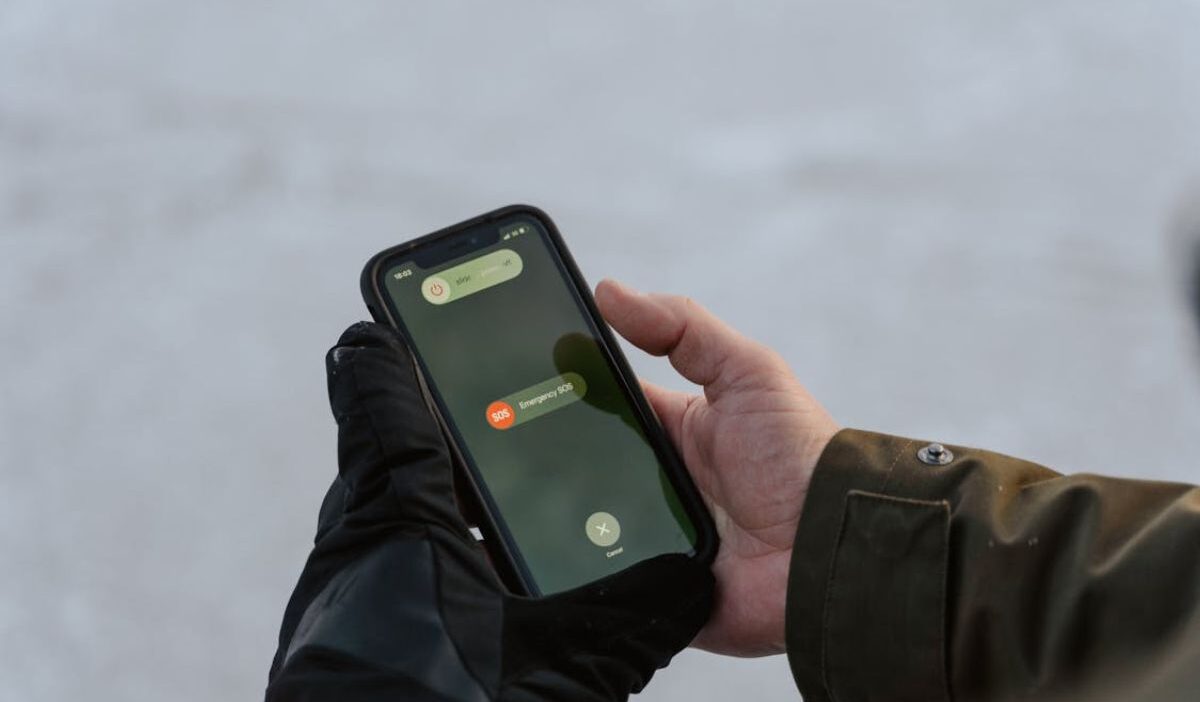
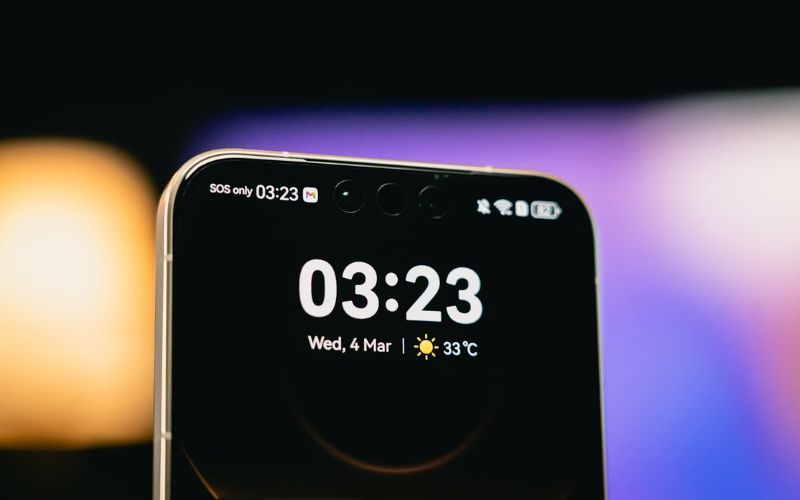
How do I get my phone out of SOS mode? It is a frustrating question that comes up the moment your phone suddenly loses signal and shows only “SOS” at the top of the screen.
No bars, no data, and no way to call or text anyone except emergency services.
It often happens at the worst possible time. You might be checking directions, replying to an important message, or trying to reach someone quickly, only to realize your phone is completely cut off.
So what does SOS mode actually mean, and more importantly, how do you fix it fast?
Let’s walk through the real reasons this happens and the simplest ways to get your phone back to normal.
1. What SOS Mode Means on a Phone
How do I get my phone out of SOS mode? SOS mode appears when your phone cannot connect to your carrier network but can still make emergency calls. It is not a full shutdown of service, but it does limit most normal functions.
This happens because your device is still working, but the connection to the network is missing. The phone switches to a restricted state to allow emergency access only.
2. Why Your Phone Goes Into SOS Mode
Before jumping into fixes, it helps to understand the most common reasons your phone goes into SOS mode in the first place.
- Weak or no cellular signal
The most common reason is a poor signal. If you are in a basement, rural area, or inside a building with thick walls, your phone may lose connection. This leads directly to SOS mode.
- SIM card problems
If the SIM card is damaged, loose, or not properly detected, your phone cannot connect to your carrier. This breaks the link between your device and the network.
- Carrier network outages
Sometimes the issue is not your phone. If your carrier is experiencing an outage, your device may switch to SOS mode until the network is restored.
- Software or system errors
A temporary glitch in the system can interrupt network settings. When this happens, your phone may fail to reconnect properly and enter SOS mode.
3. How Do I Get My Phone Out of SOS Mode: Quick Fix Steps
Now that you know what might be causing it, let’s go through some quick fixes you can try right away to get your signal back.
Step 1: Move to an area with a better signal
How do I get my phone out of SOS mode? Start by changing your location. Move outdoors or closer to a window. If signal strength improves, your phone may reconnect automatically.
Step 2: Turn airplane mode on and off
Switch airplane mode on for a few seconds, then turn it off. This forces your phone to reconnect to the network and often resolves temporary connection issues.
Step 3: Restart the phone
Restarting your device clears temporary system errors. This simple step can restore a normal network connection in many cases.
Step 4: Remove and reinsert the SIM card
Take out the SIM card, check for dust or damage, and place it back securely. This helps your phone detect the SIM properly and reconnect to the carrier.
>>> Read more: What Happens If I Reset My iPhone? Important Things You Must Know in 2026
4. Advanced Fixes if SOS Mode Does Not Go Away
If the issue still isn’t resolved, it’s time to try a few more advanced fixes for how do I get my phone out of SOS mode that can help restore your connection.
Reset network settings
Resetting network settings helps remove hidden configuration errors that may block your phone from connecting to the carrier.
This process clears saved Wi-Fi, Bluetooth, and cellular settings, then restores them to default.
Update system software
Outdated system software can cause bugs that interfere with network connectivity and lead to SOS mode.
Installing the latest update ensures your phone stays compatible with current carrier systems and improves overall stability.
Check carrier settings updates
Carrier settings updates allow your phone to communicate more effectively with your network provider.
These updates adjust how your device handles signal, calls, and mobile data.
Keeping them updated helps reduce connection errors and improves your chances of how do I get my phone out of SOS mode?
5. How to Prevent SOS Mode From Happening Again
If you’ve been asking how do I get my phone out of SOS mode, the next step is making sure it does not keep happening again. Here are a few simple habits and settings you can adjust to help prevent SOS mode in the future.
- Keep software updated
Make sure your phone always runs the latest system version.
Updates often fix hidden bugs that affect network connection and improve how your device communicates with the carrier.
When software is outdated, small errors can build up and lead to issues like SOS mode.
- Use a reliable carrier network
Your network provider plays a direct role in connection quality. If your carrier has weak coverage in your area, your phone is more likely to lose signal and switch to SOS mode.
Choosing a provider with strong and consistent coverage where you live and work reduces this risk.
- Regularly check SIM condition
The SIM card is what connects your phone to the network, so its condition matters.
If it is dirty, scratched, or loosely inserted, your phone may struggle to detect it properly.
Take a moment to remove the SIM, clean it gently, and reinsert it securely.

6. FAQs
How do I get my phone out of SOS mode quickly?
Start with simple steps like moving to a better signal area, toggling airplane mode, or restarting your phone. These fixes often resolve the issue within minutes.
Why does my phone randomly go into SOS mode?
This usually happens due to a weak signal, SIM issues, or temporary network disruptions. The phone loses connection and switches to emergency-only mode.
Can SOS mode work without a SIM card?
Yes, phones can still make emergency calls without a SIM card. That is why SOS mode can appear even when no SIM is detected.
Conclusion
Seeing SOS mode on your phone can feel confusing, especially when it shows up without warning and suddenly cuts you off from everything.
How do I get my phone out of SOS mode? In many cases, the answer is simpler than it seems once you understand what is causing it.
A little awareness goes a long way, helping you fix the issue more quickly and feel more in control if it happens again.